Contractor Bid & Margin Guard
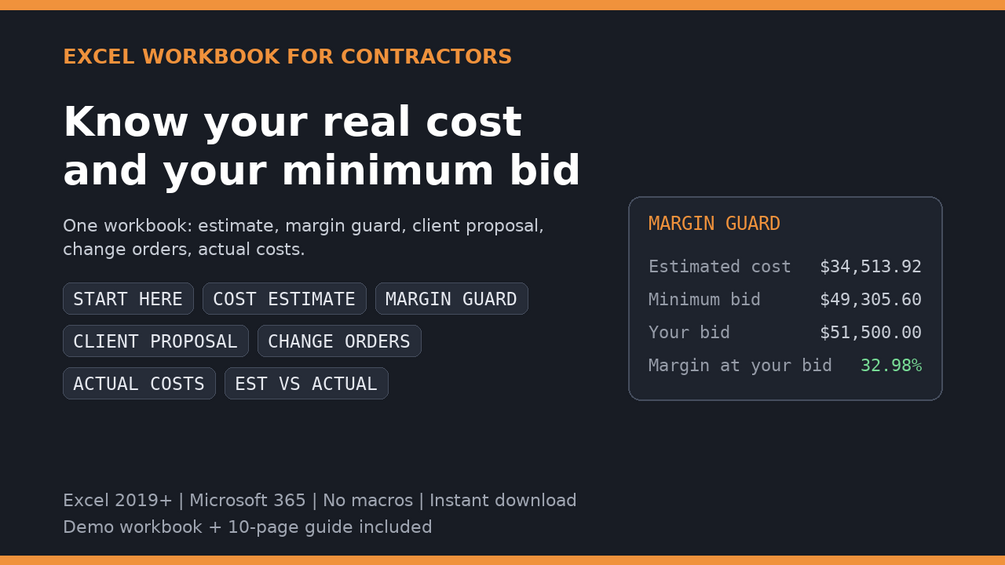
Know what the job costs. Know the minimum you can bid.
Available — €29 · one-time purchase · instant download
The problem it solves
A bid can feel right and still leave you short once overhead and change orders show up. Confusing markup with margin makes that gap harder to spot. This workbook puts the real cost and minimum bid in front of you before the job, so you do not discover the missing margin after it.
A 30% markup on $10,000 of costs gives you about a 23% margin. If your target margin is 30%, your bid is costs ÷ 0.70. The workbook handles the margin calculation for your quotes.
How it works
- Enter your costs and overhead. Put the costs of the job and your overhead into the workbook.
- Set your target margin. Decide how much of the bid needs to remain after costs.
- Get your minimum bid for every quote. See a warning when your quote falls below your margin floor, before you commit.
Seven sheets. One connected estimate.
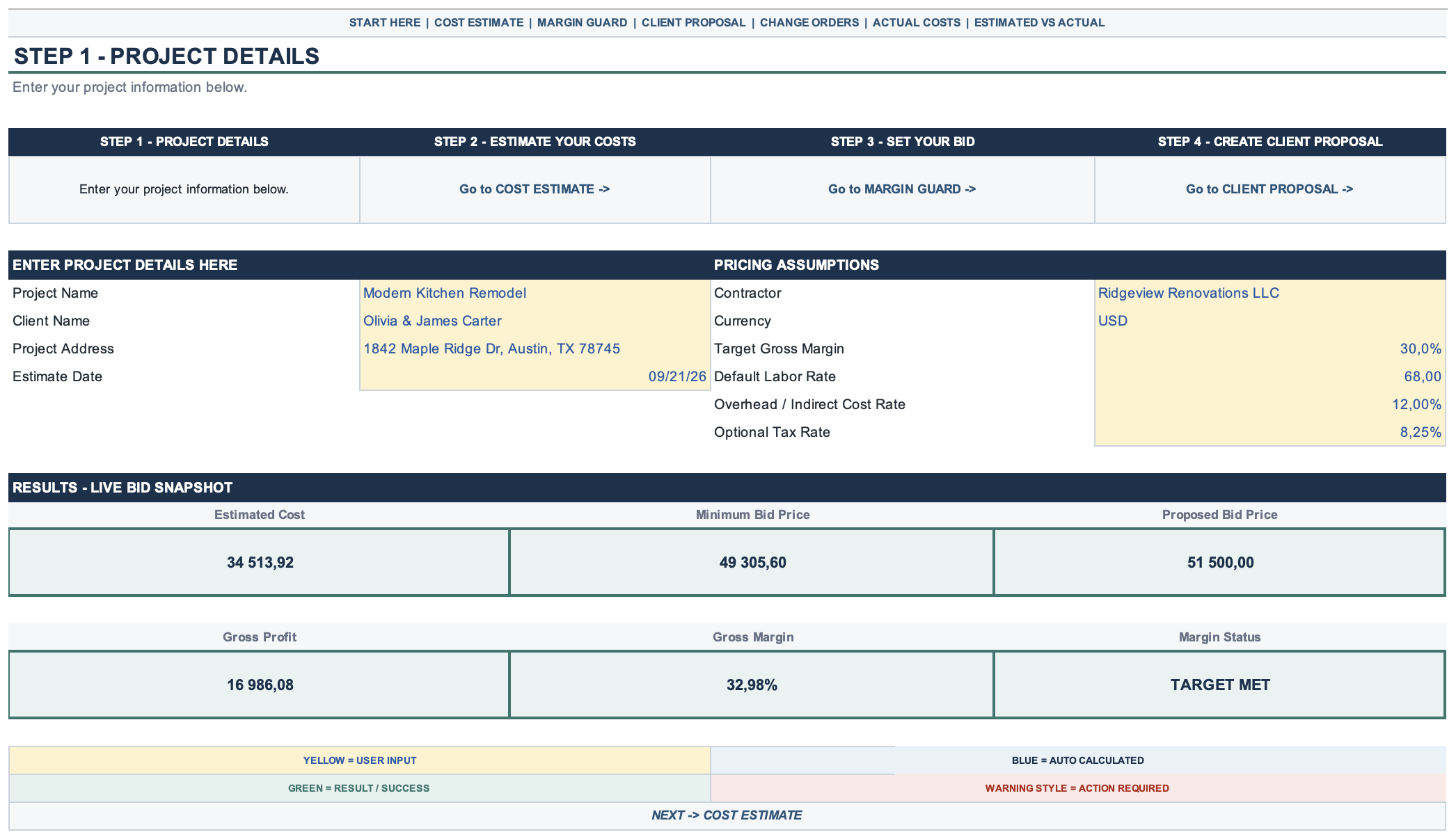
- Job costs
- Bring the costs of the job together to see what it will take to deliver.
- Overhead
- Include overhead in your estimate so it is covered by your bid.
- Target margin / margin guard
- Set your target margin and flag quotes that fall below your margin floor.
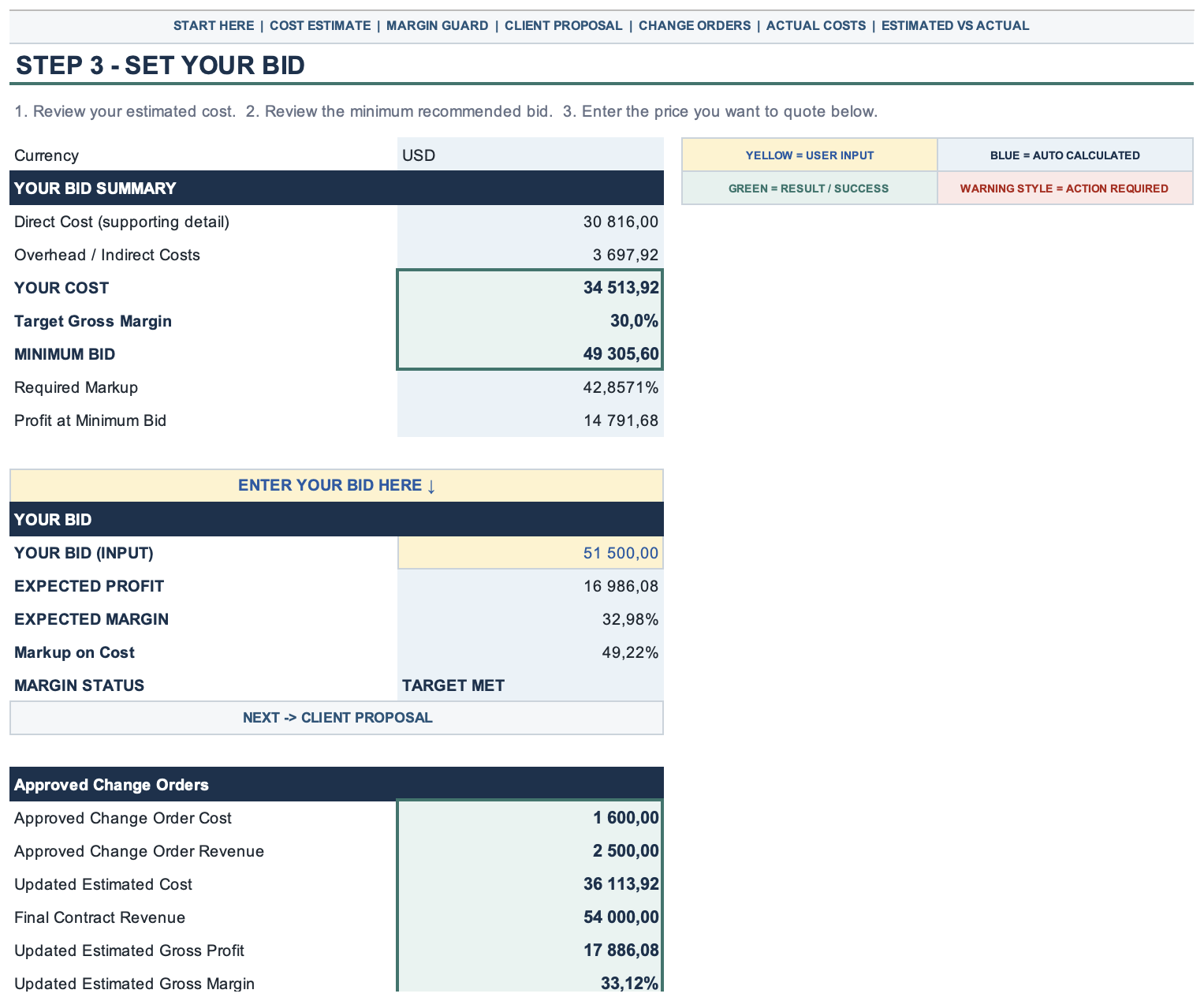
- Bid summary
- See your job cost and the minimum bid needed to meet your target margin.
- Change orders
- Track changes to the scope and their effect on job costs.
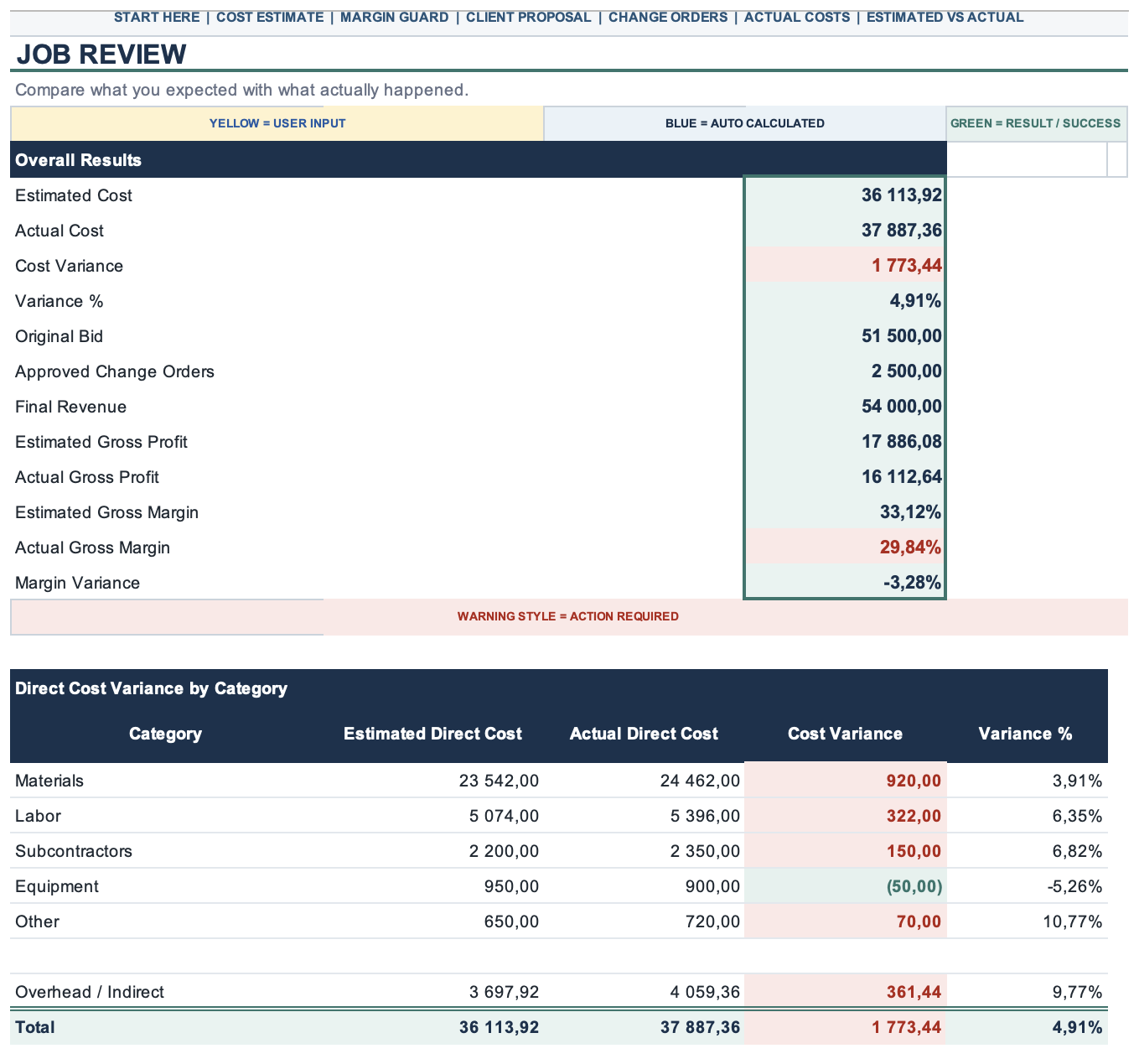
- Actuals tracking
- Compare actual job costs with your estimate as the work progresses.
- Client-ready proposal
- Prepare a proposal for your client without showing internal costs or margin.
See it work
Real screenshots from the demo workbook (sample project: kitchen remodel, USD).
How to read it: yellow cells are inputs, blue cells calculate automatically, green cells show results, and red warnings call for attention.
Is it a fit for your work?
Who it is for
- Solo contractors and small crews who quote jobs regularly.
- General contractors, remodelers and trades who want costs, overhead and margins in one workbook.
- People who prefer a spreadsheet they can use without a subscription.
Who it is not for
- Companies looking for ERP-scale estimating.
- Teams needing integrations with their other business systems.
What you need
Microsoft Excel or Google Sheets, your job costs and about 10 minutes to set up your rates. No subscription is required for the workbook.
A tool you buy once.
€29
One-time purchase. Lifetime use of the version you buy.
You buy the version you purchase. Future updates are not promised; if offered, they may be sold separately.
Gumroad is the merchant of record for this workbook and handles payment, delivery, receipts and refunds.
Refunds are handled under Gumroad's framework — see our refund policy.
Before you buy
- Does it work in Google Sheets?
- Yes. You can use the workbook in Microsoft Excel or Google Sheets.
- Do I pay every month?
- No. It is a one-time purchase, with no subscription.
- Is it for big GCs?
- It is built for solo contractors and small crews. It works for bids up to the millions, but is designed for quoting small jobs quickly.
- What if it does not work for me?
- See our refund policy for the Gumroad framework and how to request help.
- What is the demo?
- A free demo workbook is linked on the Gumroad product page.
- Will the client see my costs or margin?
- The client-ready proposal view hides your internal costs and margin.
- Can I track changes after the quote?
- Yes. Use the change-orders sheet for scope changes and actuals tracking to compare costs with your estimate.
- Are future updates included?
- You buy the version you purchase. Future updates are not promised and may be sold separately if offered.